Track Fuel, Save Money
Comprehensive fuel tracking with MPG calculations, price analytics, and IFTA-ready reporting. Log your gallons by state, pair them with automatic mileage from your Motive or Samsara ELD, and know exactly what you're spending on fuel and where.
100% free during beta until November 1, 2026 • No credit card ever
MPG Tracking
Per fill-up and running averages
Cost Analytics
Price per gallon & cost per mile
By State
Gallons tagged by jurisdiction
IFTA Ready
Auto-integrated reporting
Complete Fuel Management
Everything you need to track, analyze, and optimize your fuel spending
Quick Fuel Entry
Log fuel purchases in seconds. Enter gallons, price, location, and odometer reading. Snap a receipt photo for your records.
MPG Calculations
Automatic miles per gallon tracking for each fill-up and running averages. Know exactly how efficient your trucks are.
State Tracking
Fuel purchases automatically tagged by state for IFTA compliance. No manual state entry required.
IFTA Integration
Fuel gallons flow straight into your IFTA calculator and pair with automatic state mileage imported from your Motive or Samsara ELD. No duplicate data entry.
Price Analytics
Track fuel prices over time and by location. Identify the best places to fuel up on your regular routes.
Per-Vehicle Tracking
Track fuel separately for each truck. Compare efficiency and costs across your fleet.
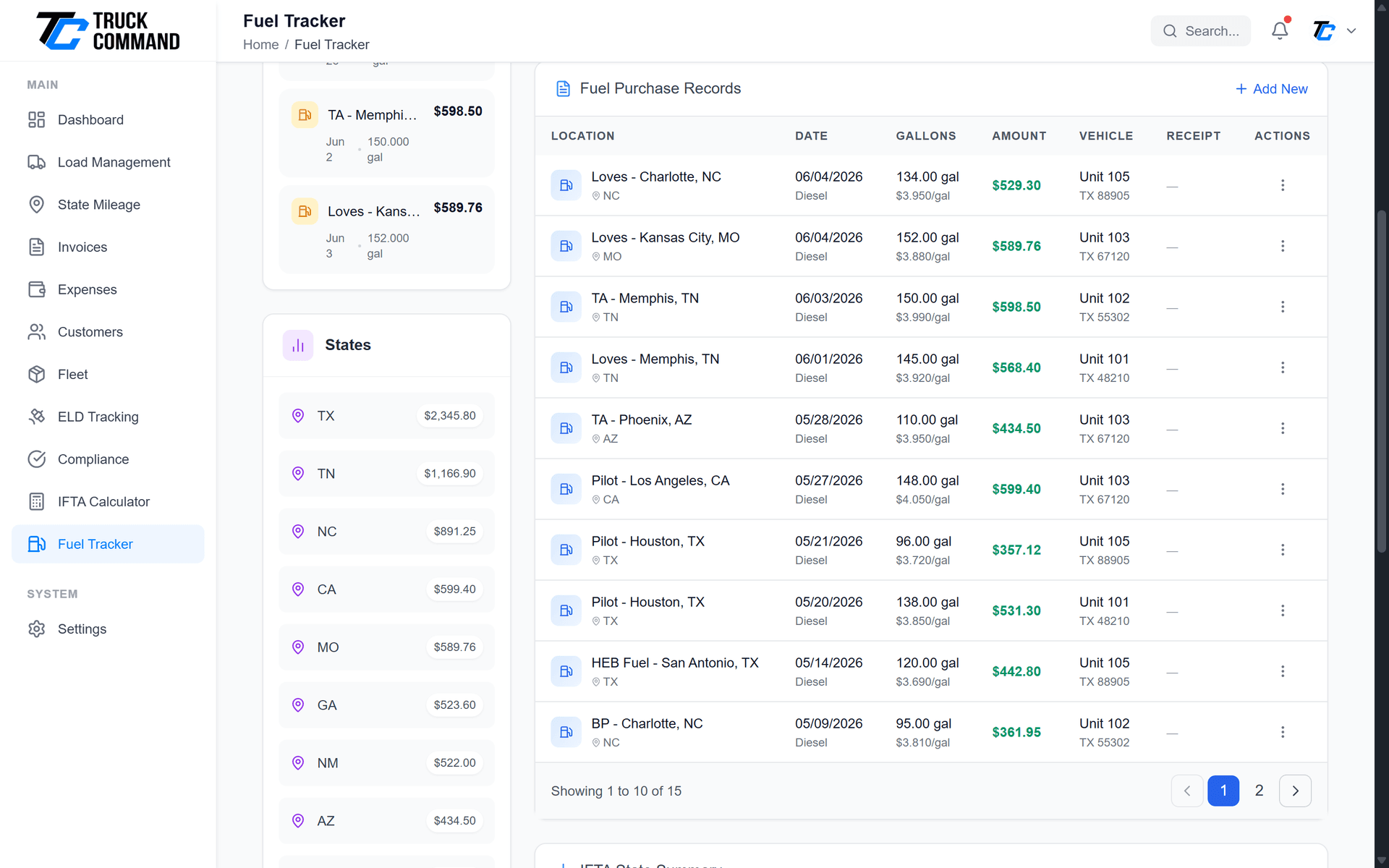
Your Fuel Data at a Glance
Comprehensive fuel analytics in one dashboard:
- Fuel Summary: Total gallons, total spent, and average price for any period
- MPG Tracking: Current MPG, historical averages, and trend charts
- State Breakdown: Gallons purchased by state for IFTA reference
- Recent Entries: Quick view of latest fuel purchases with edit access
- Cost Trends: Charts showing fuel cost patterns over time

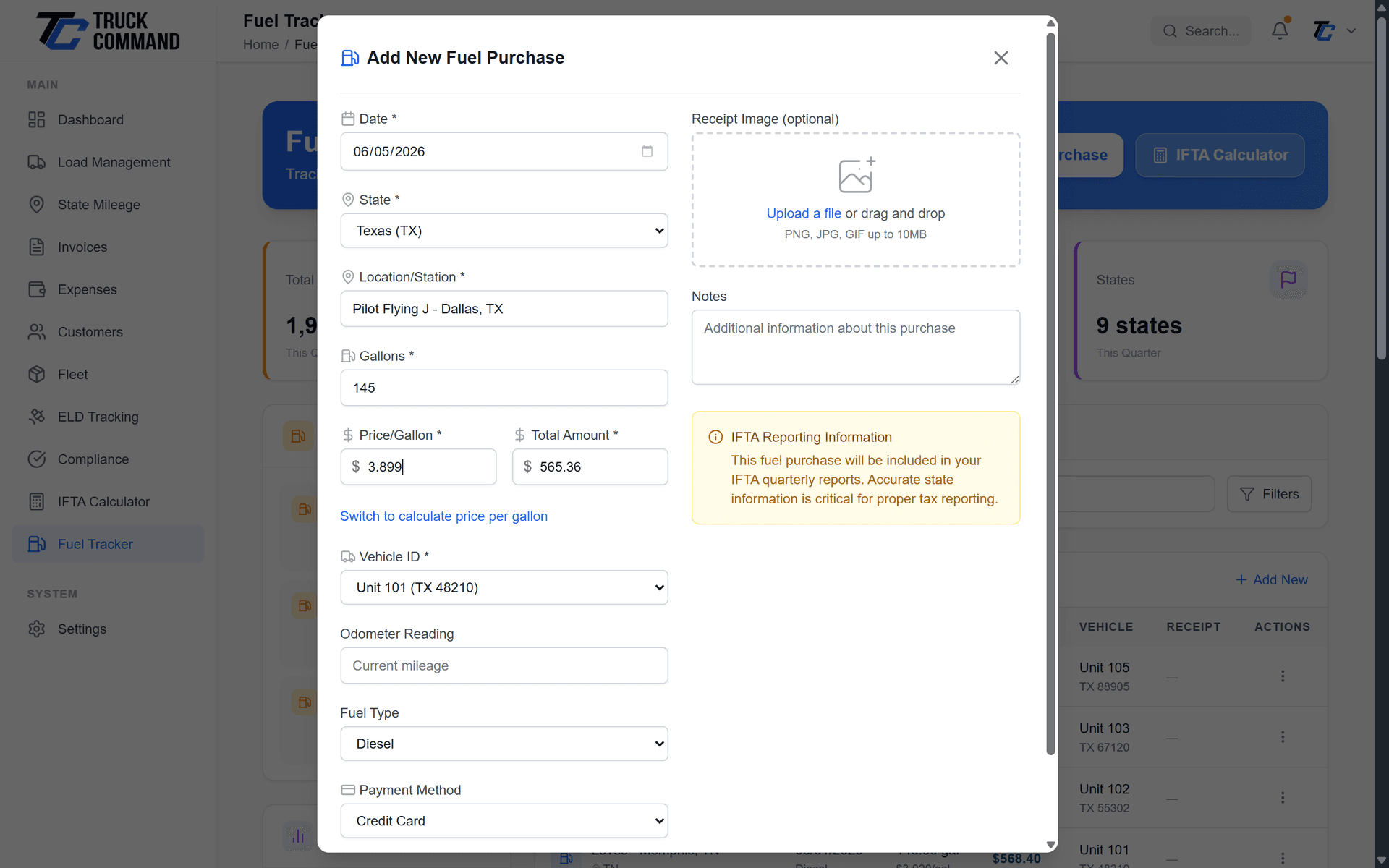
Log Fuel in Seconds
Fast, easy fuel entry designed for life on the road:
- Simple Form: Enter gallons, total cost, location, and odometer
- Auto-Calculate: Price per gallon calculated automatically
- State Detection: State determined from location entry
- Receipt Upload: Attach receipt photos for documentation
- IFTA Flag: Mark purchases for IFTA-qualified vehicles
Understand Your Fuel Efficiency
Deep insights into your fuel performance:
- Per-Fill MPG: Calculate MPG for each fill-up based on odometer
- Rolling Average: Track MPG trends over time
- Vehicle Comparison: Compare efficiency across your fleet
- Cost Per Mile: Calculate actual fuel cost per mile driven
- Seasonal Trends: See how efficiency changes throughout the year
Connected to Your Business
Fuel data flows seamlessly to other parts of your operation
IFTA Calculator
Fuel purchases populate IFTA reports automatically. State-by-state gallons combine with mileage imported from your Motive or Samsara ELD for complete quarterly filings.
Expense Tracking
Fuel purchases auto-sync as expenses. One entry creates both fuel and expense records, and expenses can sync to QuickBooks Online.
Fleet Management
Fuel data linked to specific vehicles for per-truck cost analysis and efficiency tracking.
Why Truckers Track Fuel With Us
Turn every fill-up into useful data for your business
Catch efficiency problems early
Per-truck MPG tracking surfaces a vehicle that's suddenly burning more fuel, so you can investigate before it costs you a fortune.
Make IFTA painless
Gallons logged by state combine with automatic ELD mileage, so your quarterly IFTA reports come together without the spreadsheet scramble.
Keep your books clean
Every fuel entry auto-syncs to expenses (and on to QuickBooks Online), so your fuel records and financials always match at tax time.
Fuel Tracker FAQ
When you enter a fuel purchase with the current odometer reading, the system calculates miles driven since your last fill-up and divides by gallons purchased. For accurate MPG, fill up completely each time and record the odometer reading.
Yes! When you log a fuel purchase and mark it as IFTA-qualified, the data automatically appears in your IFTA calculator. The state is detected from your location entry, so gallons are categorized correctly by jurisdiction. Pair that with automatic state mileage imported from your Motive or Samsara ELD and your quarterly filing comes together with no manual logs.
Absolutely. You can upload photos of your fuel receipts when creating entries. The images are stored securely and accessible anytime - perfect for tax documentation and audit protection.
Each fuel entry is linked to a specific vehicle in your fleet. You can view fuel data for all trucks together or filter to see individual vehicle performance, costs, and MPG.
Yes! Fuel purchases automatically create corresponding expense records categorized as 'Fuel'. This eliminates double entry and ensures your expense reports match your fuel records.
Have more questions about fuel tracking?
Contact Our Support TeamStart Tracking Fuel Today
Understand your fuel costs and keep your IFTA and expenses in sync with smart tracking built for trucking.
100% free during beta until November 1, 2026 • No credit card ever