Simplify IFTA Reporting Forever
Auto-import jurisdiction mileage from your connected ELD (Motive or Samsara) — or log trips manually with simple state-by-state entry, no ELD required. Fuel gallons flow in from your fuel tracker, and quarterly IFTA reports generate in minutes instead of hours.
100% free during beta until November 1, 2026 • No credit card ever
Just need a quick estimate? Try our free IFTA calculator — no signup required.
IFTA Filing Doesn't Have to Be Painful
Stop spending hours on spreadsheets every quarter
The Old Way
- ✗Manually tracking miles in each state with paper logs
- ✗Collecting and organizing fuel receipts from multiple states
- ✗Complex spreadsheet formulas that break or have errors
- ✗Hours spent reconciling data every quarter
- ✗Risk of audit penalties from calculation mistakes
With Truck Command
- ✓Jurisdiction mileage auto-imported from your ELD (Motive or Samsara) — or entered manually in seconds, no ELD required
- ✓Fuel gallons pulled automatically from your fuel tracker
- ✓Instant calculations for every IFTA jurisdiction you operate in
- ✓Generate quarterly reports in under 5 minutes
- ✓Audit-ready documentation always available
Complete IFTA Solution
Everything you need to stay compliant and save time
Mileage Your Way — ELD or Manual
Jurisdiction miles import automatically from your connected ELD (Motive or Samsara), pull from completed loads, or go in manually with simple state-by-state trips. No ELD required.
Fuel Gallons Logging
Fuel gallons flow in from your fuel tracker by state. Track gallons and receipts for complete fuel tax documentation.
Automatic Calculations
Instant MPG and taxable-gallon calculations by jurisdiction, so your mileage and fuel data are filing-ready.
Quarterly Reports
Generate professional IFTA reports ready for filing. All data formatted exactly how your state requires.
Multi-Vehicle Support
Track IFTA data separately for each truck in your fleet. Filter reports by vehicle or view combined fleet totals.
Export Options
Export reports as PDF or CSV. Compatible with state filing systems and perfect for your records.
How IFTA Tracking Works
From driving to filing in four simple steps
Drive & Deliver
Drive as usual. Jurisdiction mileage imports automatically from your connected ELD (Motive or Samsara) — or add trips manually with quick state-by-state entry.
Log Fuel
Enter fuel purchases with location. State is detected automatically, gallons are tracked for each jurisdiction.
Review Data
View your quarterly summary by jurisdiction. MPG, taxable gallons, and tax due are calculated instantly.
File Report
Export your IFTA report and file with your state. Keep documentation for audit protection.
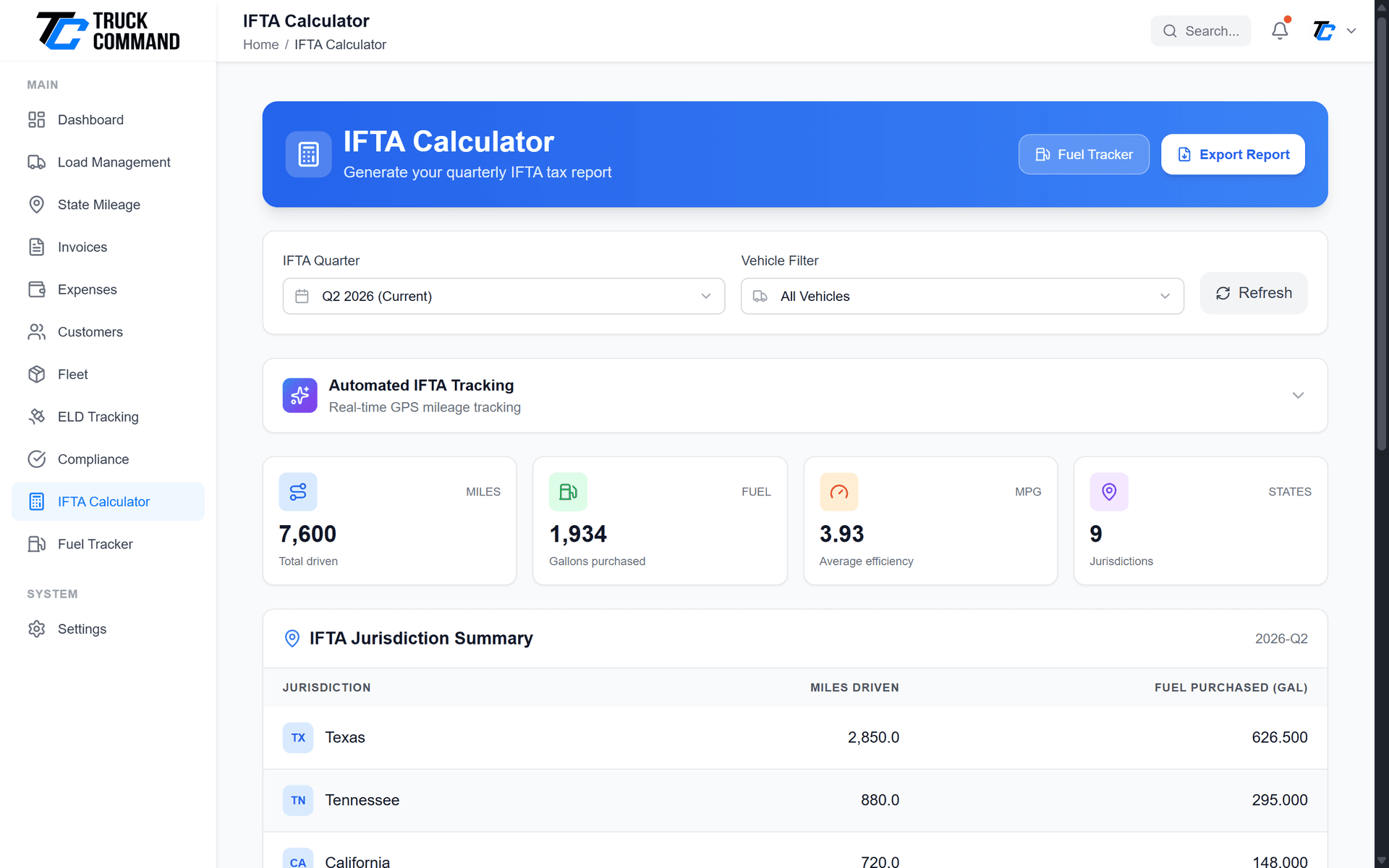
Complete Jurisdiction Summary
See your IFTA data for any quarter at a glance:
- Jurisdiction Breakdown: Miles and fuel for every IFTA jurisdiction you operate in
- MPG Calculations: Fleet average MPG calculated automatically from actual data
- Taxable Gallons: Miles ÷ MPG for each jurisdiction calculated instantly
- Tax Due/Credit: Difference between taxable and purchased gallons shown per state
- Quarter Selection: Easily switch between quarters to view historical data
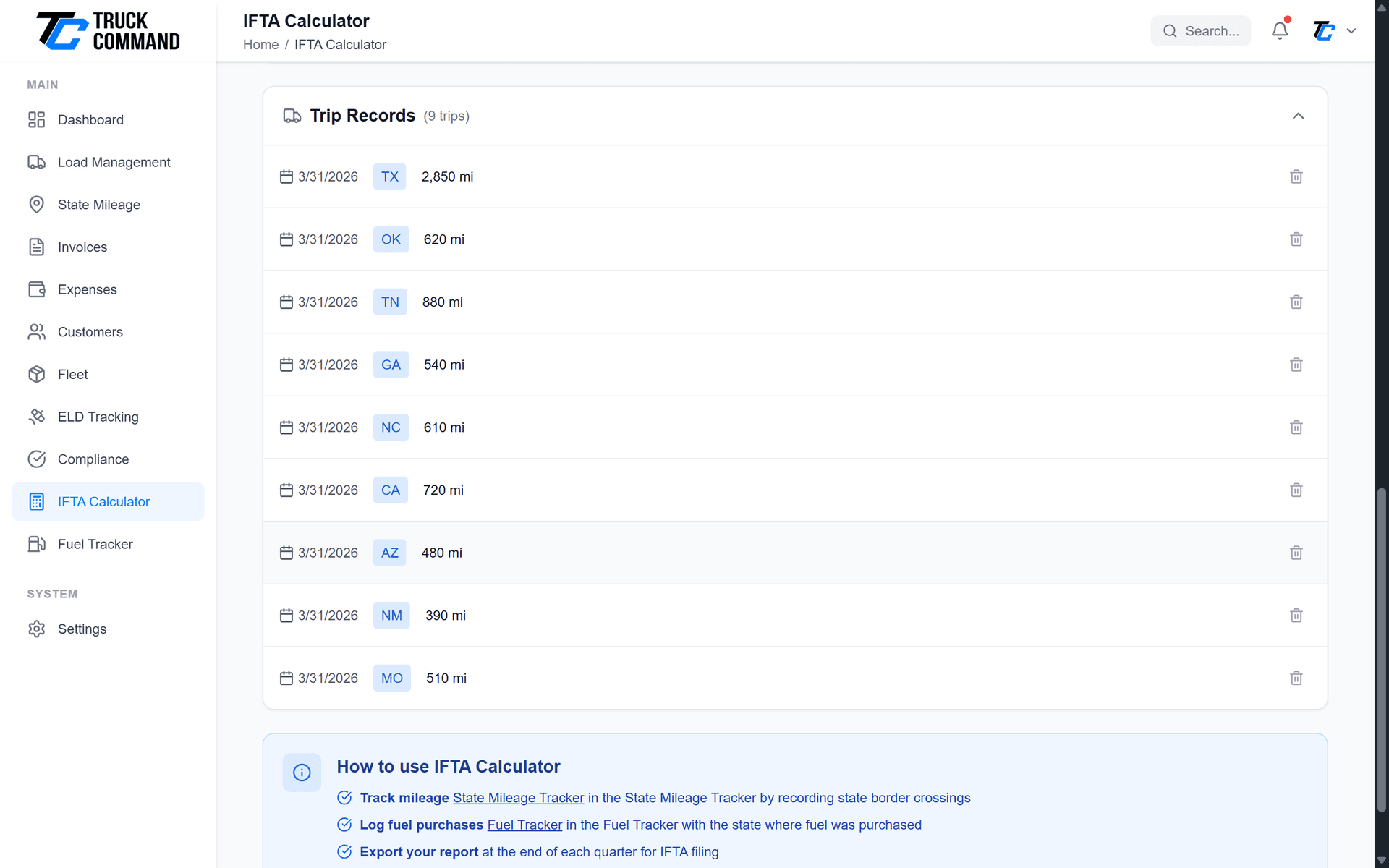
Detailed Trip Tracking
Every trip is documented for audit protection:
- Auto-Generated: Trip records created from completed loads with route details
- State Breakdown: Miles automatically split by jurisdiction based on route
- Vehicle Tracking: Each trip linked to specific truck for fleet reporting
- Manual Entry: Option to add trips manually when needed
- Date Filtering: View trips by quarter, month, or custom date range
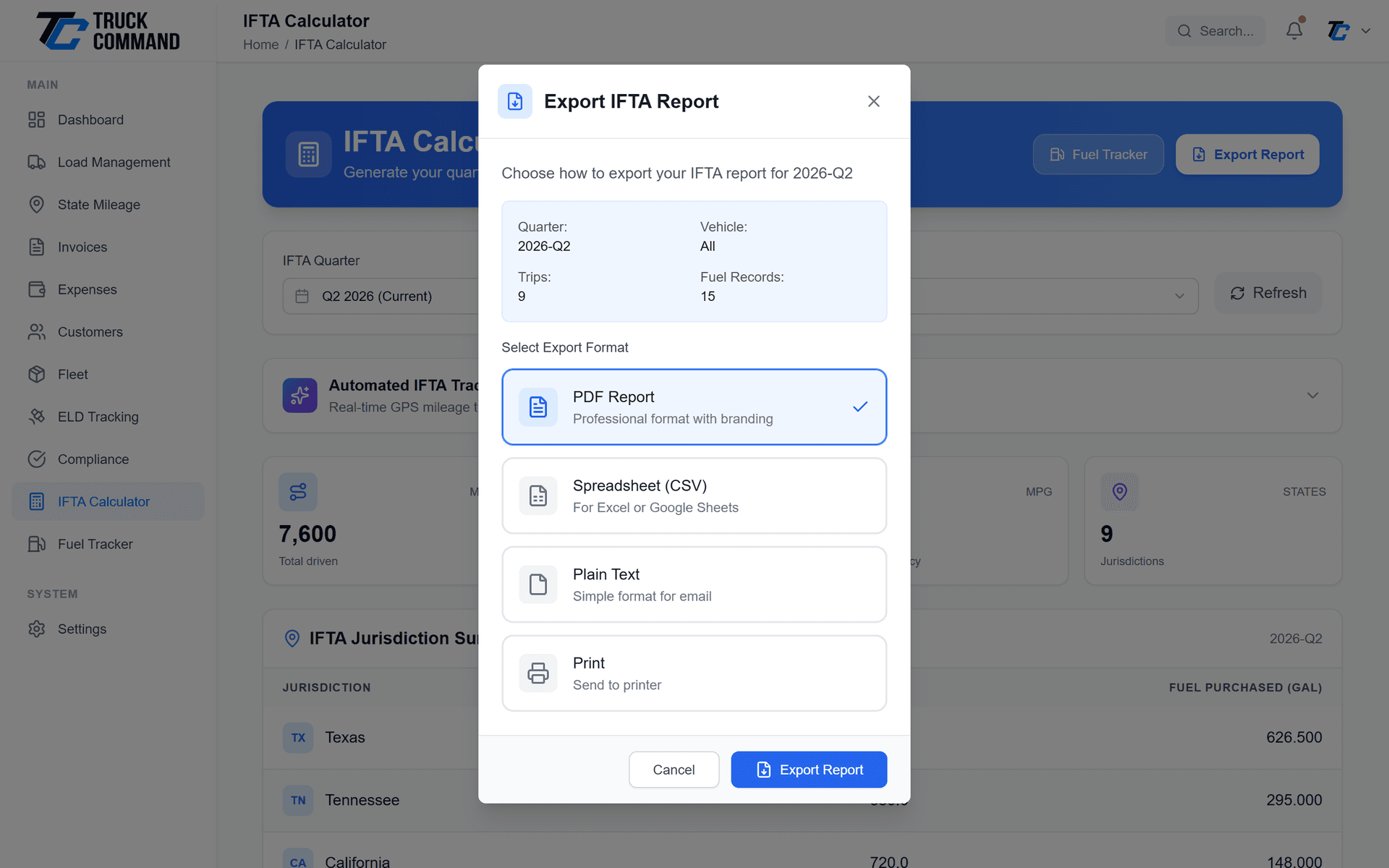
Filing-Ready IFTA Reports
Generate professional reports in the format your state requires:
- PDF Reports: Professional formatted reports with company information
- CSV Export: Data export compatible with state filing systems
- Summary Reports: High-level totals for quick reference
- Detailed Reports: Trip-by-trip breakdown for audit documentation
- Historical Access: Access any previous quarter's reports anytime
Integrated with Your Operations
IFTA data flows automatically from your daily operations
ELD Integration
Connect Motive or Samsara and jurisdiction mileage imports automatically into your IFTA trip records — no manual entry required.
Fuel Tracker
Fuel gallons logged in the fuel tracker sync directly to IFTA calculations with state detection built in.
Load Records
Completed loads provide a secondary mileage source, so every mile is accounted for across your IFTA jurisdictions.
Don't run Motive or Samsara? No problem — add trips manually with simple state-by-state mileage entry. Every calculation, dashboard, and report works exactly the same.
Built for Quarterly Filing
Less paperwork, fewer errors, and audit-ready records every quarter
File in Minutes
Skip the weekend of spreadsheets. Mileage and fuel data are already organized by jurisdiction when filing time comes.
Data Your Way
Jurisdiction miles import from your connected ELD or go in with quick manual entry, and fuel gallons flow in from your fuel tracker. No spreadsheet reconciliation.
Audit-Ready
Detailed trip and fuel records are stored and exportable, keeping you prepared for IFTA's four-year recordkeeping requirement.
IFTA Calculator FAQ
IFTA (International Fuel Tax Agreement) is a tax agreement between US states that simplifies fuel tax reporting for interstate carriers. If you operate a qualified motor vehicle in more than one IFTA jurisdiction, you must file quarterly IFTA reports to properly distribute fuel taxes to each state based on miles traveled.
No. An ELD connection is optional. You can add trips manually with simple state-by-state mileage entry, and every calculation, quarterly summary, and report works exactly the same. If you do run Motive or Samsara, connecting it just saves you the typing.
Connect your ELD (Motive or Samsara) and jurisdiction mileage imports automatically into your IFTA records. Completed loads serve as a secondary mileage source, and you can also add manual trip entries when needed.
Our system provides the calculation framework and jurisdiction summaries. For actual filing, you'll use the tax rates from your base jurisdiction's IFTA filing system, as rates can change quarterly. Our reports provide all the mileage and fuel data you need for accurate filing.
Yes! Each truck in your fleet has separate IFTA tracking. You can view reports for individual vehicles or see combined fleet totals. This is perfect for small fleets that need to file one combined IFTA return.
You can edit any trip record to correct mileage or state information. The system will automatically recalculate your jurisdiction totals. We recommend reviewing your data before the quarterly filing deadline.
All IFTA data is stored indefinitely and accessible anytime. IFTA regulations require keeping records for 4 years, so having permanent access ensures you're always prepared for potential audits.
Have more questions about IFTA tracking?
Contact Our Support TeamReady to Simplify IFTA Forever?
Eliminate IFTA headaches with automatic ELD mileage import — or quick manual entry — and easy quarterly filing.
100% free during beta until November 1, 2026 • No credit card ever
Related Features
Complete your compliance toolkit with these integrated features
Fuel Tracker
Log fuel purchases with receipt storage. Fuel data syncs directly to IFTA calculations.
Learn MoreState Mileage
Track miles driven in each state for accurate IFTA reporting and compliance.
Learn MoreCompliance Tracking
Track license expirations, registrations, and regulatory deadlines in one place.
Learn More